
 telmini
Knowledge base
Learns from your own content
Upload files, crawl pages from your website, or add questions and answers. The AI looks up the most relevant passages before it replies.
- Word
- TXT
- Markdown
- CSV
- JSON
- Website pages
- Q&A pairs
An AI agent that answers from your own content, one inbox for the whole team, and apps for iPhone, iPad, Mac, Android and Windows.
It answers from your knowledge base, in your customer’s language, and brings in your team when a customer asks for a person.
Upload files, crawl pages from your website, or add questions and answers. The AI looks up the most relevant passages before it replies.
When a customer asks for a person, the AI hands the chat to your team. Reply to take over any chat, and hand it back to the AI in one click.
Open any AI reply to see what it looked up and the checks it passed.
telmini manages the AI service and models. Add your knowledge and reply instructions; you don’t need to select or configure a model.
When there’s a promotion, an outage or a new rule, write one line under Training › Updates, or just tell the AI setup assistant. Every AI reply after that follows it. For a promotion that hasn’t started yet, the AI tells customers the date it starts.
The chat widget comes in 45 languages and the AI replies in the customer’s language. Translate any incoming message with one click, and translate your reply before you send it.
Chats from your website, your app and Telegram land in one place, updated in real time.
Give a chat to a teammate, and filter the list by mine or unassigned.
Pin chats for yourself, or for the whole team so everyone sees them first.
Leave a note for your team inside the chat. Customers never see it.
Save the answers you send most. Type / in the reply box to list all your quick replies, including ones a teammate just added.
Set your hours and send an automatic reply when nobody is online.
Answer common questions instantly when a message matches a keyword.
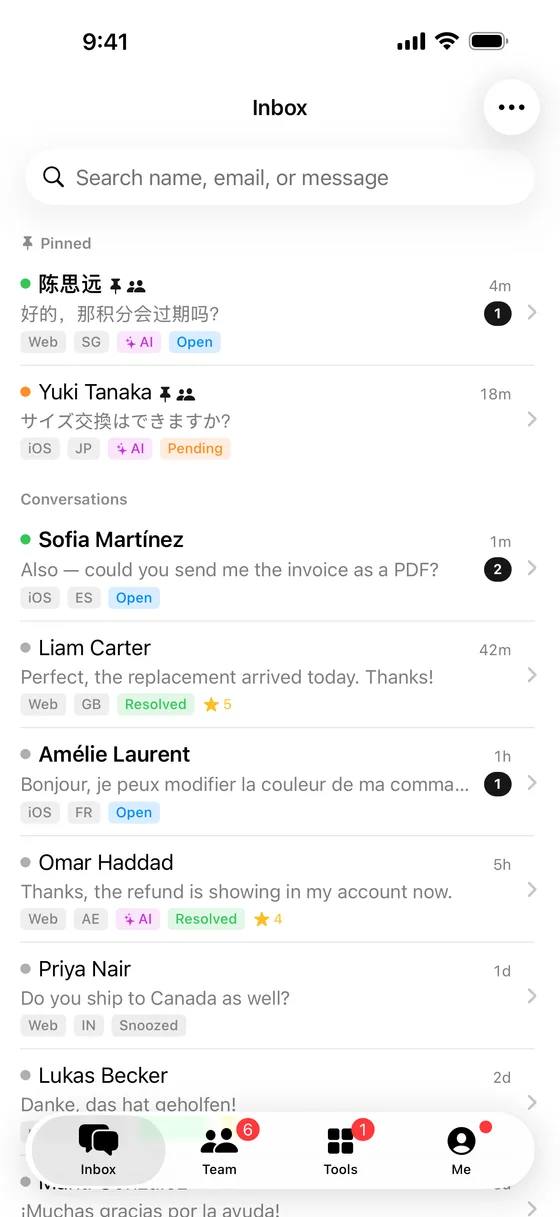
See who you’re talking to: location and network provider, local time, device, browser and past chats. Every customer is listed under Contacts.
Customers and your team can send images, PDFs and other files in the chat.
Find any chat by the customer’s name, email or latest message.
Have AI summarize a chat in the language you choose, and export it together with the full transcript. You can also select several chats in the inbox and get a separate summary for each.
Turn a good reply into a question-and-answer pair the AI can use. Replies saved by agents wait for an owner or admin to approve them.
Block a visitor, and optionally block new anonymous visitors from the same IP address and device for a week.
Quiet chats are resolved automatically. Turn on quick auto-close to resolve a chat a few minutes after an AI answer when the visitor doesn’t reply, on the platforms you choose.
Remove a chat from your own list without affecting your team. Permanent deletion for everyone can be turned on, and you decide who may use it.
Publish help articles and announcements that visitors can read in the chat widget.
Clear unread dots in one go from the “⋯” menu in the inbox. “Mark all read for me” clears only yours; “Mark all read for the team” clears your teammates’ too, and by default only owners and admins can use it. Only the unread status changes; no chat gets resolved.
Chats the AI is answering don’t show an unread dot; they count as unread only when the customer asks for a person. Everyone turns it on for themselves in the inbox “⋯” menu, and every message still shows in the inbox.
Chats the AI can handle on its own don’t ring or push. You’re notified only when the customer asks for a person, the AI fails or the AI doesn’t reply. Owners and admins can set rules for the whole team; if the assignee can’t get the alert, the whole team is alerted instead.
Plan who is on duty on which days and at what times, and unassigned chats notify only whoever is on shift. Chats handed to a person can be assigned automatically to someone on shift. Each person can also choose to be notified only during their own work hours, or to be skipped by automatic assignment.
Send chats your agents handled well to the AI to learn from, even ones that aren’t resolved yet. What it learns is reviewed by an owner or admin first, and the AI uses it only after approval.
New in the iPhone, iPad, Mac and Android 1.3.1 apps. Availability depends on workspace settings and permissions.
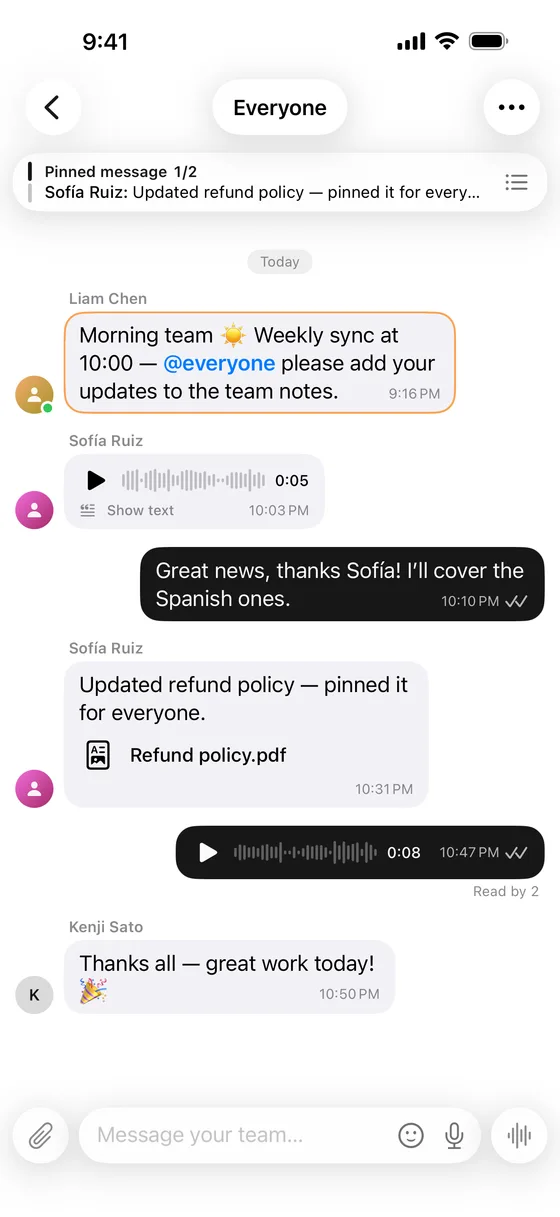
Direct messages and groups, with voice messages, files, mentions and pinned messages. Don’t want to be disturbed after hours? Team messages can notify you only during business hours or your own work hours.
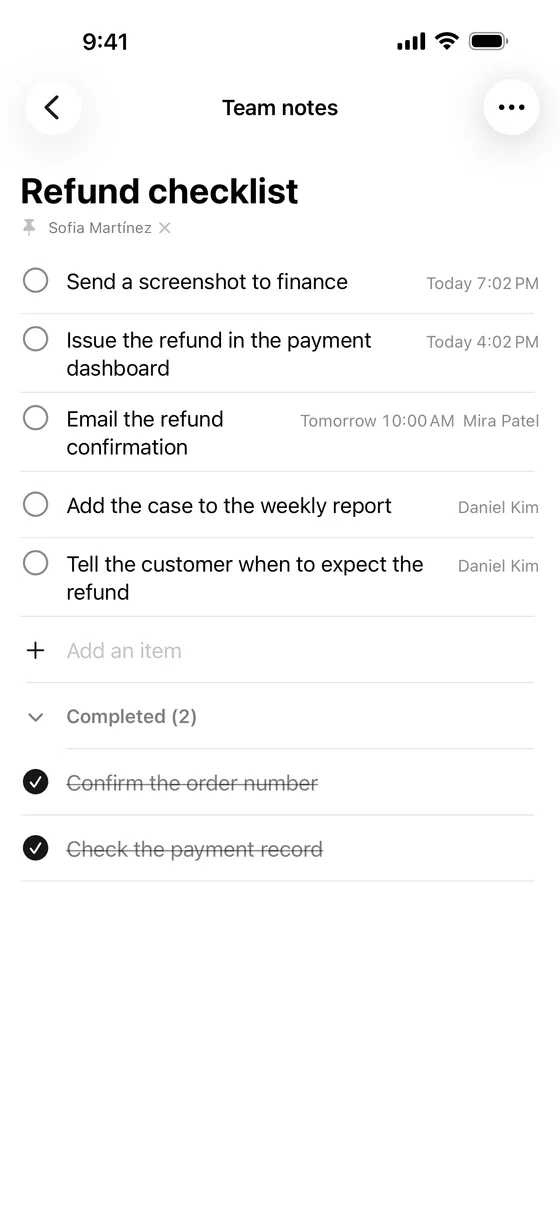
Personal and team notes, checklists and due dates. Use AI to draft a note, then review and save it.
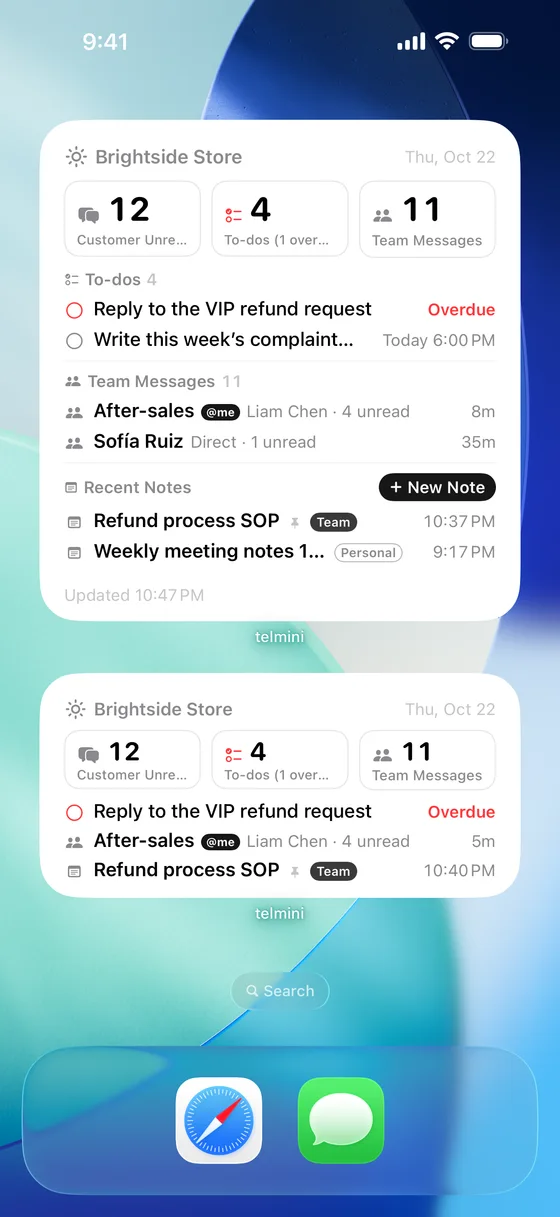
See unread customer conversations, team messages, to-dos and recent notes from your Home Screen or Mac desktop.
Customer ratings, team stats and AI reports, plus a few extras on paid plans.
Customers can end the chat and leave a 1 to 5 star rating with a comment. You see it next to the conversation and in the ratings report, which you can export.
Replies, resolved chats, resolution rate, median first response time, average resolution time and ratings, per teammate.
Tap the mic, talk, and your words are typed into the reply box. The audio isn’t kept. Each plan includes a set number of voice-to-text minutes per month, and Settings › Voice to text shows how many you’ve used this month.
Hide the Powered by line in your chat widget, or replace it with your own text and link.
See how many chats the AI resolved on its own, why chats went to a person and when it couldn’t find an answer. Pick a date range and AI turns the problems customers reported into a report you can export.
telmini for iPhone, iPad, Mac, Android and Windows · Free to download
Reply to customers and keep up with team chats, notes and to-dos. The latest version is available for iPhone, iPad, Mac, Android and Windows. On iPhone Duo, the layout fits whether it’s folded or unfolded, and you can view two chats side by side.
Add one script tag to your website, open the same chat inside your app, or connect a Telegram bot.
Paste one script tag and the chat widget appears, on desktop and mobile browsers. When the connection is unstable, the widget fetches your team’s replies on its own, so customers don’t miss them.
<script src="https://telmini.com/widget.js"
  data-app-id="YOUR_APP_ID"
  data-base-url="https://telmini.com"
async></script>Open the same chat in a WebView in your mobile or desktop app.
https://telmini.com/api/widget-embed?appId=YOUR_APP_IDConnect your Telegram bot. Messages land in telmini, and your replies go back to Telegram.
Pass your signed-in user’s name and email, with an optional signature, so your team knows who they’re talking to.
Connect your AI assistant to your telmini workspace with an MCP key. Read and answer conversations, train the AI and check your numbers without leaving the editor.
The server speaks streamable HTTP at:
https://cs.askais.com/api/mcp/mcpAdd it to Claude Code:
claude mcp add --transport http telmini https://cs.askais.com/api/mcp/mcp --header "Authorization: Bearer YOUR_MCP_KEY"Create a key in your telmini dashboard: open MCP in the sidebar, then Access & keys. Workspace owners and admins can create keys on every plan, and a key only reaches the workspace it was created in.
One agent, 100 AI replies a month and the iPhone, iPad, Mac, Android & Windows app. Free forever. Upgrade when your team grows.
 العربية
 বাংলা
 Català
 Čeština
 Dansk
 Deutsch
 Ελληνικά
 English
 Suomi
 Français
 ગુજરાતી
 עברית
 Hrvatski
 Magyar
 Bahasa Indonesia
 Italiano
 日本語
 한국어
 Bahasa Melayu
 Nederlands
 Norsk
 Polski
 Português
 Română
 Русский
 Slovenčina
 Slovenščina
 Svenska
 ไทย
 Türkçe
 Українська
 اردو
 Tiếng Việt
 简体中文
 繁體中文


 Flutter
 React Native
 Electron